This website provides general lifestyle information only and is not professional or medical advice.

Furniture & Setup

Desks, chairs, and accessories aligned for neutral posture and sustainable comfort.

Adjustable office chair beside height-adjustable desk

Choosing an Ergonomic Chair

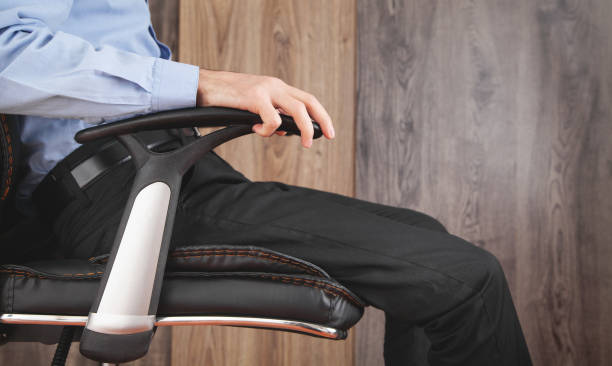
Start with seat height: when your feet are flat, hips should be slightly above knees. Lumbar support should fit the curve of your lower back without pushing you forward. Seat-pan depth matters—leave two to three fingers between the edge of the seat and the back of your knees. Armrests should let shoulders stay relaxed; if they bump the desk, adjust width or skip them. Mesh backs breathe well in Australian summers; padded seats suit shorter sitting blocks. Swivel and smooth castors help you reach items without twisting your spine. Test tension on recline mechanisms so the chair supports you when leaning back for calls.

Desk Height & Surface Depth

Standard desk heights near 72–75 cm suit many people near 170–180 cm tall, but leg length and chair thickness change the maths. Sit at your chair, relax shoulders, bend elbows to about 90 degrees, and measure where your fingertips land—that is your target keyboard height. Work surfaces at least 60 cm deep give room for a monitor on a stand plus a keyboard tray. Sit-stand frames should rise smoothly without shaking monitors; electric models with memory presets reduce daily friction. If you use a fixed desk, a footrest can correct leg position when the surface is slightly high. Keep frequently used items within forearm reach to limit repetitive stretching.

Occupational ergonomics references often describe neutral posture as ears over shoulders and shoulders over hips when viewed from the side.

General workstation alignment principle

Sit-Stand Workflow

Alternating between sitting and standing works best on a schedule, not by willpower alone. Begin with 15–20 minute standing blocks twice per day, then extend if your feet and lower back feel fine. Wear supportive shoes or stand on an anti-fatigue mat. Keep the same elbow and screen rules when standing—raise the desk so the keyboard stays at elbow height and the monitor remains at eye level. Anti-fatigue mats reduce leg discomfort for some users. Document what ratio feels sustainable after two weeks rather than forcing long standing sessions immediately.

  • Pair standing blocks with phone calls or video meetings
  • Avoid standing barefoot on hard flooring for hours
  • Save preset heights on electric desks to avoid daily guesswork

Health & Safety Guidelines

Check weight limits on monitor arms and desk motors before mounting ultrawide displays.
Anchor tall bookcases if children or pets share the workspace area.
Replace gas-lift chairs that sink unpredictably—failed cylinders can cause falls.
Leave knee clearance under the desk; remove storage boxes that block leg room.

FAQs

Can I ergonomically work at a dining table?
Often dining tables are too high. Use a height-adjustable chair and footrest, or add a keyboard tray under the surface. An external keyboard and raised laptop or monitor are still important.
How often should I replace a home office chair?
Replace when mechanisms fail, foam collapses, or adjustments no longer hold. Typical domestic use may span many years if build quality is solid.